I’ve been using Harvest, the time-tracking tool, for years, and every time I reach for the browser to start a timer, a small part of me dies inside. So I decided to fix that properly this time.
Say hello to Harv.
$ harvThat’s it. No subcommand, no flags. Just harv, and you’re in a full-screen terminal dashboard with your timesheet, running timers, and a keyboard shortcut for everything.
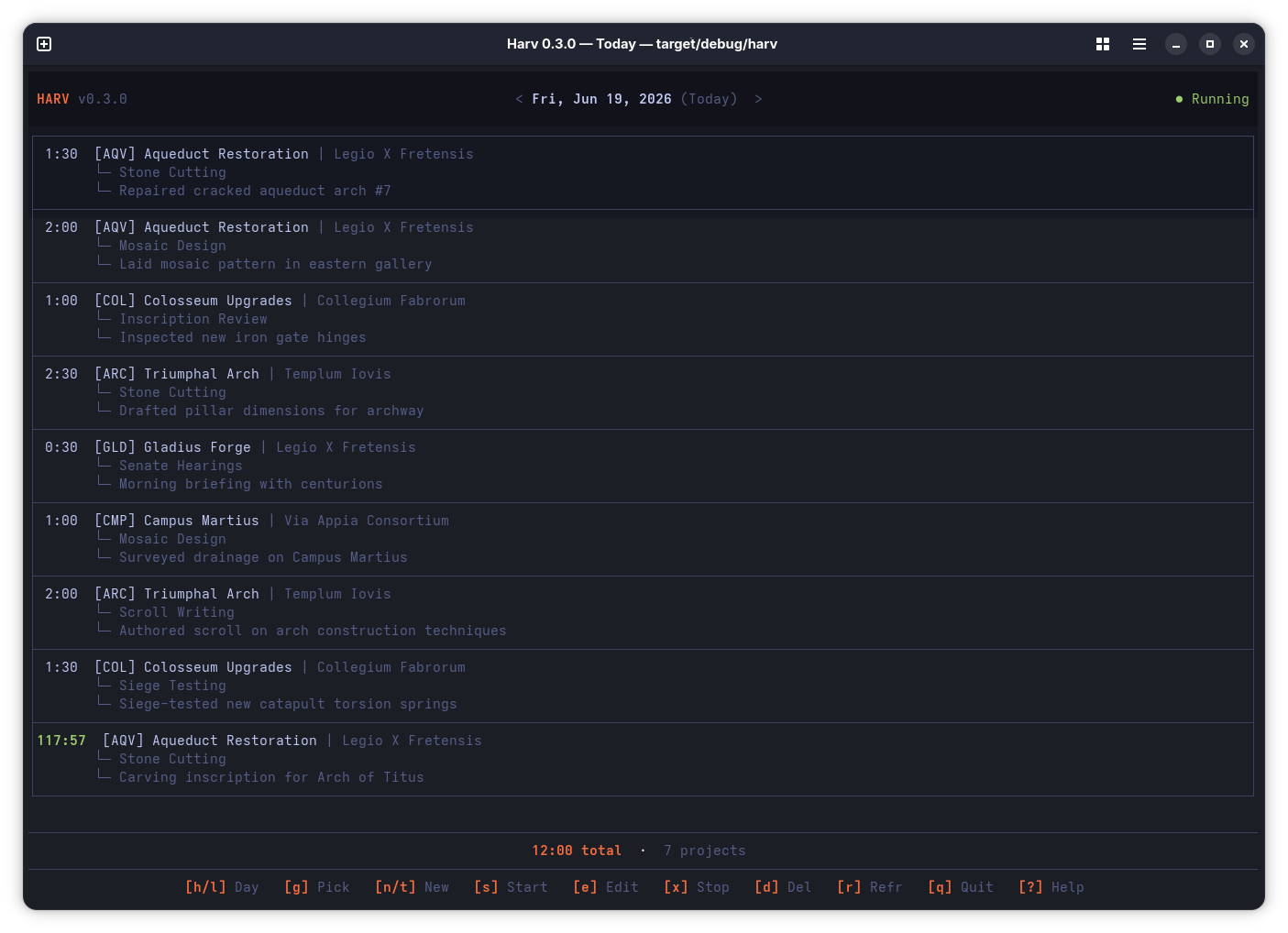
The terminal is your happy place
I live in the terminal. My editor, my git, my builds, my deploys: everything happens behind a blinking cursor. The one thing that kept pulling me out? Starting a timer in Harvest.
Browser tab. Click project dropdown. Scroll through 40 projects. Click task. Click start. Every. Single. Time.
Harv replaces all of that with muscle memory:
| Key | Does |
|---|---|
s |
Start a timer. Fuzzy-search your project, pick a task, go. |
n |
Log hours directly with an interactive date picker |
e |
Edit any entry inline |
x |
Stop the running timer |
j k |
Navigate up and down |
h l |
Browse yesterday, tomorrow |
T |
Jump back to today |
q |
Quit. Back to whatever you were doing. |
No mouse. No loading spinners. Just keystrokes.
Power features for power users
Harv goes well beyond a simple start/stop timer:
Aliases. Create shortcuts for frequently-used project/task combos. Instead of picking “Client X → Development” from a list every morning, just type:
$ harv start devProject config files. Drop a harv.toml in your project root and Harv knows which project and task to pre-select. Define note templates that pull from git: branch names, commit messages and your Harvest user name:
[templates.standup]
pattern = "Daily standup: {branch_name} - {commit_message}"
Automatic dark/light mode. Harv detects your OS theme in real time. Switch to dark mode at sunset? Harv follows along without missing a beat. Two full color palettes, instant switching.
Six languages. English, Dutch, French, German, Spanish, Italian. Auto-detected from your system locale, or set it explicitly. Every label, error message and CLI prompt is translated and locale-aware.
Built-in update notifications. When a new release drops on GitHub, Harv tells you right in the TUI top bar. Checking for updates manually is a web browser problem, and we’re not doing that anymore.
Yes, I vibe-coded it. Yes, it’s production quality.
Harv is my first Rust project aimed at real daily use. I’ve been writing PHP and TypeScript for a decade. Rust was a language I understood conceptually but had never shipped with.
So I did what any reasonable developer does in 2026: I paired with AI agents. Not to write the code for me, but to keep me honest. Every change goes through a pipeline:
$ cargo fmt --all -- --check    # Formatting
$ cargo clippy -- -D warnings   # Zero warnings allowed
$ cargo test --workspace        # All tests must pass
No exceptions. The CI enforces this on every push. The result: 521 passing tests, zero clippy warnings, 5-platform cross-compilation, and a codebase where 70% of the lines are test code.
This quality-first pipeline is what makes AI-assisted development sustainable. The AI generates, the linter catches, the tests verify, and I make the architectural calls. It is not “AI writes code”; it is “AI accelerates, quality gates protect.”
The project ships as a single binary. No runtime, no dependencies to install. It is cross-compiled for Linux, macOS and Windows, on both x86_64 and ARM64.
Try it in 30 seconds
# Install
cargo install --git https://github.com/josbeir/harv harv-cli

# Connect your Harvest account (opens browser once)
harv connect

# You're in
harv
Prefer binaries? Grab one from GitHub Releases. Shell completions for bash, zsh, and fish are built in:
source <(harv completion zsh)What I actually learned
Rust was on my radar for years. I’d read the book, followed the blogs, admired the ecosystem. But shipping a Rust project teaches you things no tutorial can:
- The borrow checker stops being an adversary and starts being a teammate
- Pattern matching and algebraic types make state machines trivial
cargo doc --openis the best documentation experience in any language I’ve used- Cross-compilation for five platforms from a single
Cargo.tomlstill feels like magic - The testing culture is contagious. When writing tests is this frictionless, you just do it.
Harv didn’t teach me Rust from scratch. It took my theoretical understanding and made it operational. There’s a difference between knowing what a Mutex is and debugging a poisoned one in CI at 11 PM.
It’s yours
Harv is MIT-licensed and on GitHub. Stars, issues, and pull requests are welcome. If you use Harvest and live in the terminal, give it a shot.
Because the only thing better than time tracking is time tracking you don’t have to think about.
$ harv